If you’re editing in the UK in 2026, here’s the good news: DaVinci Resolve resolution settings are 100% legal, unrestricted, and fully supported across the entire United Kingdom. There are no regional locks, no export blocks, and no licensing traps for UK users.
The current version, DaVinci Resolve 20, is completely free to download from Blackmagic Design’s UK site. The paid version, DaVinci Resolve Studio (£225 one-time licence), unlocks higher resolution ceilings and advanced professional tools — but there’s no subscription requirement either way.
Whether you’re delivering YouTube 4K, UK broadcast 25fps content, or cinematic 8K masters, this guide explains exactly how resolution works in 2026, what the real limits are, and how to set your project correctly.
DaVinci Resolve 20 in the UK: Free vs Studio Resolution Limits (March 2026)
Let’s clear up confusion immediately. The free version is extremely capable — more than enough for most UK creators. But there are hard caps at higher resolutions.
Free vs Studio – Resolution & Frame Rate Limits
| Version | Max Timeline / Export Resolution | Max Frame Rate at Max Resolution | Notes |
|---|---|---|---|
| Free | 4K UHD (3840 × 2160) | 60 fps | Ideal for YouTube, social media, most TV |
| Studio | 32K (32,768 × 32,768) | 120 fps | Real-time 8K/12K/16K on strong GPU |
That’s right — Studio supports up to 32K resolution. It’s extreme, but technically available for high-end film, VFX, dome projection, or experimental installations.
Pricing in the UK (2026)
- Free version: £0 – instant download
- Studio licence: £225 one-time (perpetual licence)
- Available from:
- Blackmagic Design UK
- Scan.co.uk
- CVP (Creative Video Productions)
No subscription. No monthly fee. Buy once, use forever — including commercial projects for BBC, indie films, agencies, YouTube monetisation, and corporate work.
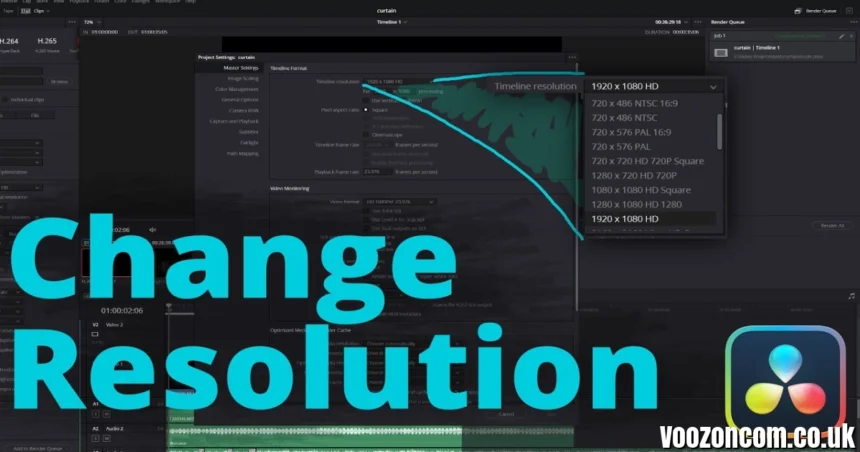
How to Set or Change Timeline Resolution (Step-by-Step)
Changing resolution in DaVinci Resolve 20 is straightforward — and UK users have full access to all options allowed by their version.
Step-by-Step Instructions
-
Open your project.
-
Click the Project Settings gear icon (bottom-right corner).
-
Or go to File → Project Settings.
-
-
Go to Master Settings.
-
Under Timeline Format, choose:
-
Preset resolution
-
Or select Custom
-
-
Common options:
-
1920 × 1080 (Full HD)
-
3840 × 2160 (Ultra HD 4K)
-
7680 × 4320 (8K UHD)
-
4096 × 2160 (DCI 4K)
-
Vertical 1080 × 1920 (Reels/TikTok)
-
-
Tick “Use vertical resolution” if creating social media vertical videos.
-
Click Save.
That’s it.
Important Note About Changing Resolution Mid-Project
If you switch from HD to 4K after editing:
- Clips remain intact.
- Scaling may need adjustment.
- Titles might need repositioning.
Resolve handles resolution scaling well, but it’s always best to set your intended delivery resolution at the start.
Best Resolution Settings for UK Creators in 2026
Different platforms demand different output standards. Here’s what works best in the UK market.
YouTube & Social Media (UK Creators)
- Timeline: 3840 × 2160 (4K UHD)
- Frame rate: 25fps or 50fps
- Export: H.265 or H.264
Why 4K even if you shot 1080p?
Because uploading in 4K forces YouTube to use a higher bitrate codec, giving sharper playback — even on 1080p screens.
UK Broadcast Standards
For BBC, ITV, or broadcast submission:
- Resolution: 1920 × 1080
- Frame rate: 25fps (PAL standard)
- Interlaced workflows are rare now — mostly progressive.
Delivering at 25fps avoids frame conversion artefacts.
Cinematic & Film Projects
- 4096 × 2160 (DCI 4K)
- 24fps
- Studio version recommended for advanced grading & noise reduction
If working with Blackmagic RAW 8K or 12K footage, Studio is essential for optimal GPU acceleration.
Advanced Studio Features for High-Resolution Work
While the free version supports 4K, Studio unlocks powerful resolution-enhancing tools.
1. Super Scale (AI Upscaling)
Studio includes Super Scale, which can upscale:
- 1080p → 4K
- 4K → 8K
The results are significantly better than standard scaling algorithms. Ideal for:
- Archive footage restoration
- Drone footage enhancement
- Corporate video upscaling
2. GPU Acceleration for 8K+
Studio fully leverages:
- NVIDIA RTX GPUs
- Apple Silicon (M3/M4)
- High-end AMD cards
Real-time 8K playback is achievable with proper hardware.
3. 120fps at High Resolutions
High-frame-rate exports at 4K+ require Studio.
For sports, gaming, and cinematic slow motion — this matters.
Hardware Recommendations for 8K/32K Editing (UK Pricing 2026)
If you’re pushing resolution limits, hardware matters more than software.
Recommended UK Setup for 8K Editing
- CPU: AMD Ryzen 9 / Intel i9 (latest gen)
- GPU: RTX 4080 / 4090 or Apple M3 Max
- RAM: Minimum 32GB (64GB recommended)
- Storage: NVMe SSD (2TB+ for active projects)
Estimated UK pricing (2026):
- High-end custom PC build: £2,000–£3,500
- MacBook Pro M3 Max: £3,000+
- RTX 4080 GPU: ~£1,000
For 4K editing, a mid-range £1,200–£1,800 system is perfectly adequate.
Common Resolution Mistakes UK Editors Make
Even experienced creators sometimes overlook these issues.
Editing in 1080p When You Shot 4K
You lose cropping flexibility. Always match or exceed source resolution when possible.
Wrong Frame Rate for UK Delivery
Exporting 30fps instead of 25fps can cause broadcast rejection.
Forgetting Vertical Timeline Mode
Creating vertical videos inside a horizontal timeline wastes resolution and quality.
Ignoring GPU Optimisation
High-resolution timelines without proper GPU settings cause playback lag.
Final Thoughts: Is DaVinci Resolve the Best Resolution-Friendly Editor in the UK?
In 2026, DaVinci Resolve remains one of the most powerful resolution-flexible editors available in the UK — especially considering the free version supports full 4K exports at 60fps.
Key takeaways:
- Free version = 4K UHD (60fps max)
- Studio = Up to 32K (120fps)
- £225 one-time licence
- Fully legal for commercial UK work
- No export watermark
- No subscription
For YouTube creators, indie filmmakers, agencies, and broadcast professionals, Resolve offers unmatched value at every resolution tier.
If you’re serious about 8K or cinematic production, Studio is worth the investment. For most UK content creators, the free version is more than enough.
FAQs – DaVinci Resolve Resolution (UK 2026)
1. Is DaVinci Resolve free in the UK?
Yes. The free version is fully legal and supports up to 4K UHD at 60fps.
2. How much is DaVinci Resolve Studio in the UK?
£225 one-time payment from Blackmagic Design or authorised UK resellers.
3. Can I edit 8K in the free version?
You can import 8K footage, but export resolution is limited to 4K in the free version.
4. What frame rate should I use in the UK?
25fps or 50fps for broadcast; 24fps for cinematic projects.
5. Is there a subscription?
No. Studio is a perpetual licence — pay once, own it permanently.