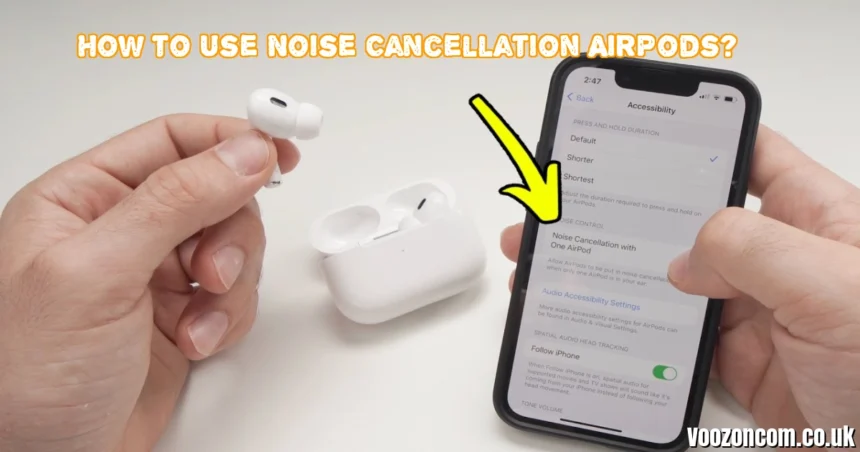
How to Use Noise Cancellation on AirPods (2026 Complete Guide – India)
Active Noise Cancellation (ANC) is one of the most powerful features available on select AirPods models. It uses built-in microphones and advanced algorithms to block external noise, allowing you to enjoy clearer music, calls, and podcasts—even in noisy environments like Indian metro trains, flights, offices, or busy streets.
This 2026 guide explains how to turn on noise cancellation on AirPods, switch between modes, optimize performance, and troubleshoot issues.
Which AirPods Support Noise Cancellation?
Before enabling ANC, make sure your model supports it.
AirPods Models with ANC
- AirPods Pro (1st generation)
- AirPods Pro (2nd generation)
- AirPods 4 with ANC
- AirPods Max
Models Without ANC
- Standard AirPods (1st & 2nd gen)
- AirPods (3rd generation without ANC)
⚠️ Noise cancellation only works when connected to an Apple device (iPhone, iPad, Mac, or Apple Watch).
To check firmware:
Settings > Bluetooth > Tap (i) next to AirPods > About
How to Turn On Noise Cancellation Directly on AirPods
This is the fastest method.
For AirPods Pro & AirPods 4 (ANC Version)
- Wear both AirPods.
- Press and hold the force sensor on the stem.
- You’ll hear a chime as it switches modes.
It cycles between:
- Noise Cancellation
- Transparency Mode
- Adaptive Mode
- Off
For AirPods Max
- Press the Noise Control button on the right ear cup.
- Switch between:
-
-
Noise Cancellation
-
Transparency
-
This method is ideal for quick changes in public places like airports or metro stations.
Enable Noise Cancellation via iPhone or iPad Settings
This method gives more control.
Step-by-Step on iPhone (India Users)
- Open Settings
- Tap Bluetooth
- Tap the (i) icon next to your AirPods
- Under Noise Control, select:
-
-
Noise Cancellation
-
Transparency
-
Adaptive
-
Off
-
Customize Button Controls
You can choose which modes the force sensor cycles through:
- Go to Settings > AirPods > Button Cycles Between
- Select desired modes
This is useful if you prefer switching only between ANC and Transparency.
Turn On ANC via Control Center (Quick Access Method)
This is the easiest shortcut.
Steps
- Swipe down from the top-right corner (iPhone with Face ID).
- Long-press the Volume slider.
- Tap the Noise Control icon.
- Choose Noise Cancellation.
Perfect for temporary switching during calls or travel.
Use Siri to Enable Noise Cancellation
For hands-free control:
- Say: “Hey Siri, turn on noise cancellation.”
- Or: “Hey Siri, switch to Transparency mode.”
If one AirPod loses audio after using Siri:
- Reset your AirPods (instructions below)
- Reconnect via Bluetooth
How to Use Noise Cancellation on Mac
If you’re using a MacBook or iMac:
- Connect AirPods.
- Open System Settings.
- Select your AirPods name.
- Under Listening Mode, choose Noise Cancellation.
You can also click the AirPods icon in the menu bar for faster toggling.
Understanding AirPods Listening Modes
1. Noise Cancellation (ANC)
- Blocks background noise
- Ideal for flights, traffic, and crowded markets
- Best for focused work or travel
2. Transparency Mode
- Lets outside sound in
- Useful while walking on Indian roads
- Good for conversations
3. Adaptive Mode (Newer Models)
4. Off Mode
-
Turns off active noise processing
-
Saves battery
Battery Impact of Noise Cancellation
Using ANC reduces battery life slightly.
| Model | With ANC | Without ANC |
|---|---|---|
| AirPods Pro | ~4.5 hours | ~6 hours |
| AirPods Max | ~20 hours | ~20 hours |
In India’s high-noise environments, many users keep ANC on during travel and turn it off at home to conserve battery.
Improve Noise Cancellation Performance
1. Ensure Proper Fit
Go to:
Settings > AirPods > Ear Tip Fit Test
A proper seal improves ANC performance significantly.
2. Keep Microphones Clean
Dust and earwax reduce ANC efficiency.
- Clean with soft dry cloth
- Avoid water
3. Update Firmware
Firmware updates install automatically when:
- AirPods are charging
- Connected to iPhone
- Internet is active
Keep your iPhone updated via:
Settings > General > Software Update
Troubleshooting: Noise Cancellation Not Working
If ANC isn’t functioning properly:
Check These First
✔ Both AirPods are in your ears
✔ ANC is enabled in settings
✔ Battery is above 20%
✔ Audio is playing
Reset AirPods
- Put AirPods in case.
- Close lid for 15 seconds.
- Open lid.
- Press and hold setup button until light flashes amber then white.
- Reconnect.
Still Not Working?
- Update iPhone software.
- Try another Apple device.
- Contact Apple Support India.
Using Noise Cancellation with Apple Watch
- Swipe up for Control Center.
- Tap AirPods icon.
- Select desired mode.
Useful during workouts.
Best Situations to Use ANC in India
-
Metro trains (Delhi, Mumbai, Bangalore)
- Flights
- Office environments
- Cafes
- Traffic-heavy streets
- Long study sessions
Final Thoughts
Learning how to use Noise Cancellation on AirPods enhances your listening experience dramatically. Whether you’re commuting in India’s busy cities or working from home, ANC blocks distractions and improves focus.
With multiple activation methods—force sensor, settings, Control Center, Siri, or Mac—you can easily switch modes anytime.
Frequently Asked Questions
Does Noise Cancellation work with one AirPod?
No. Both AirPods must be in your ears.
Does ANC drain battery faster?
Yes, slightly.
Why does ANC feel weak?
Check ear tip fit and clean microphones.
Is Adaptive Mode better than ANC?
Adaptive adjusts automatically, but full ANC blocks more sound.